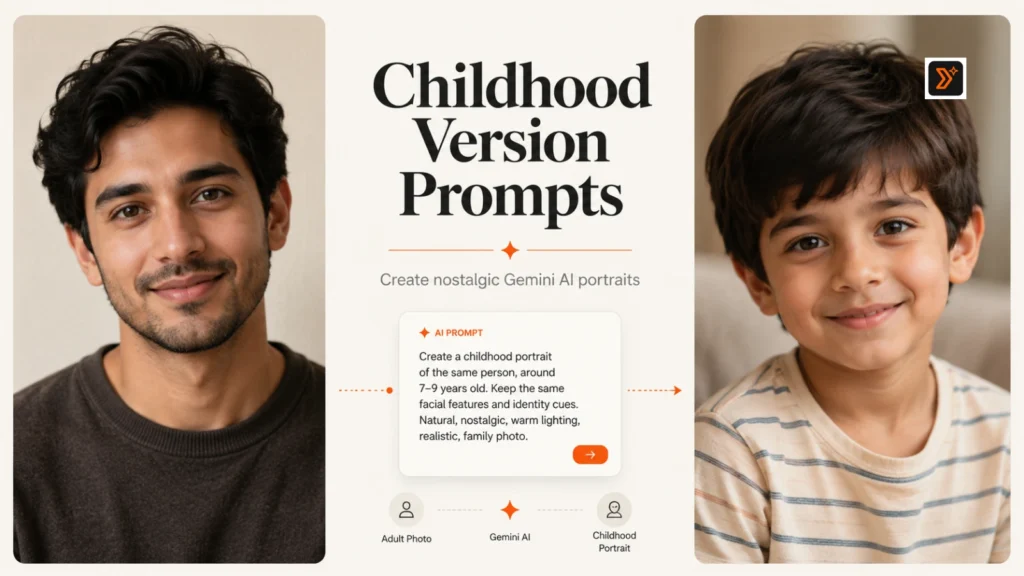
Have you ever wondered how you might look as a child again?
With Gemini, you can upload your photo and use the right prompt to create a nostalgic childhood-style version of yourself. But the final image depends heavily on how clear your prompt is.
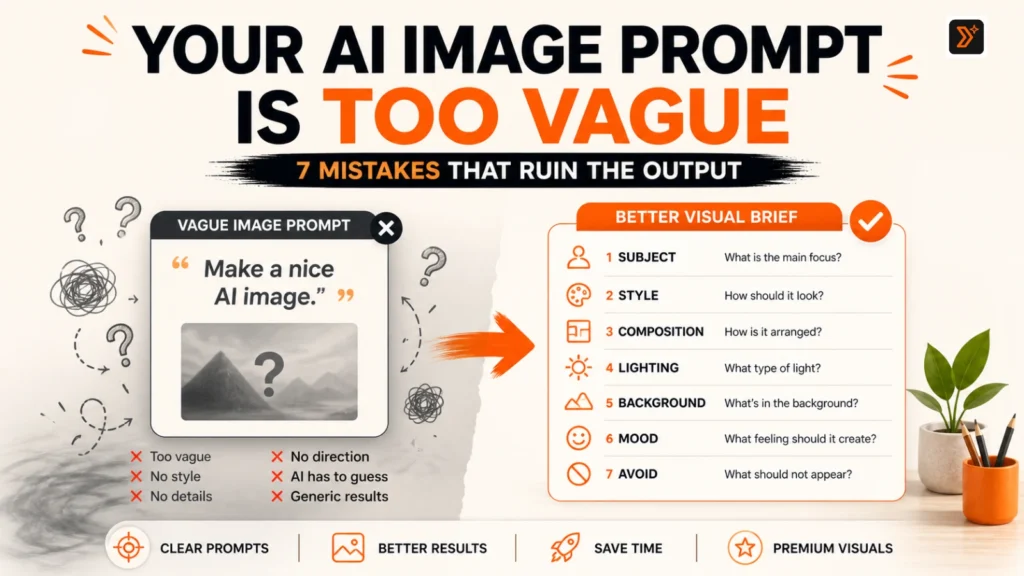
A weak prompt like “make me a child” can create a fake, random, or strange-looking result.
A better prompt tells Gemini your target age, photo style, clothing, background, emotion, and how much face resemblance to preserve.
Below are 15 copy-paste Gemini prompts you can use to create a childhood version of yourself from a photo. You can also explore more ready-to-use ideas from our prompt libraries or create your own with our prompt generators.
Before You Use These Gemini Prompts
Before using these prompts, upload a clear photo where your face is visible.
For better results:
- Use a front-facing or slightly angled photo
- Choose a photo with good lighting
- Mention the age you want, such as 5, 8, 10, or 12 years old
- Tell Gemini to preserve your facial resemblance
- Add a clear style like family album, school photo, festival photo, or old camera look
- Avoid asking for an extreme or unrealistic transformation
Gemini can generate and edit images, and its image tools can work with uploaded images and maintain character consistency across generated images. Still, use your own photo or a photo you have permission to use, and avoid uploading someone else’s face without consent. (Google Help)
If you want to create a more detailed prompt from scratch, use the AI image prompt generator.
If your prompt feels too basic, improve it with the Prompt Enhancer.
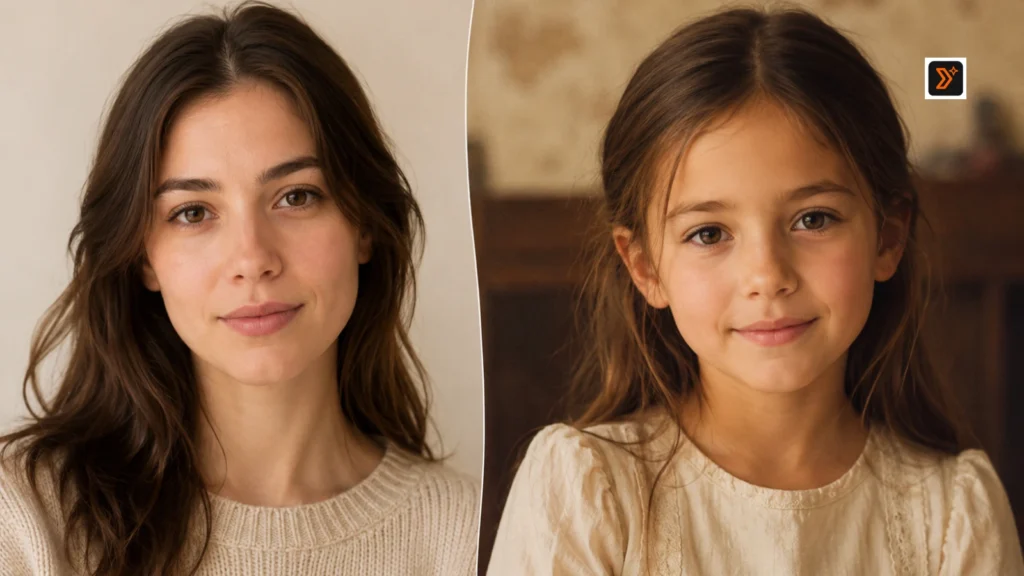
Simple Prompt Formula for Childhood Version Images
Use this formula when writing your own Gemini prompt:
Uploaded photo + target childhood age + face resemblance + clothing + background + expression + photo style + realism level.
Example:
Using the uploaded photo as the reference, create a realistic childhood version of this person at around 8 years old. Preserve the facial resemblance, eye shape, smile, and natural expression. Make the image look like a warm family album photo with simple childhood clothing, soft daylight, and a natural home background. Avoid making the face look fake, overly edited, or cartoonish.
15 Best Gemini Prompts to Create a Childhood Version of Yourself
1. Realistic Childhood Portrait Prompt
Best for: Simple and natural childhood version
Prompt:
Using the uploaded photo as the reference, create a realistic childhood version of this person at around 8 years old. Preserve the main facial resemblance, eye shape, smile, skin tone, and natural expression. Make the image look like a real childhood portrait with soft daylight, simple clothing, and a warm natural background. Avoid cartoon style, exaggerated features, or an artificial face.
2. School Uniform Childhood Prompt
Best for: School memory-style image
Prompt:
Using the uploaded photo as the reference, create a realistic childhood version of this person as a school-going child around 9 years old. Preserve the facial resemblance and natural expression. Dress the child in a simple school uniform with a neat hairstyle and a soft school-day background. Make it look like a genuine school memory photo, not a fantasy image.
3. Playful Outdoor Childhood Prompt
Best for: Natural childhood energy
Prompt:
Create a realistic childhood version of the person in the uploaded photo, around 7 years old, playing outdoors in soft natural light. Preserve the face resemblance, smile, and overall identity. Add a simple park or courtyard background, casual childhood clothes, and a joyful candid expression. Make the image feel warm, natural, and emotionally nostalgic.
4. Old Family Album Photo Prompt
Best for: Nostalgic family-photo look
Prompt:
Using the uploaded photo as a reference, create a childhood version of this person at around 6 years old in an old family album photo style. Preserve facial resemblance and natural features. Use soft faded colors, slightly warm tones, simple home background, and a candid family-photo feeling. Make the image look like a real printed photo from childhood.
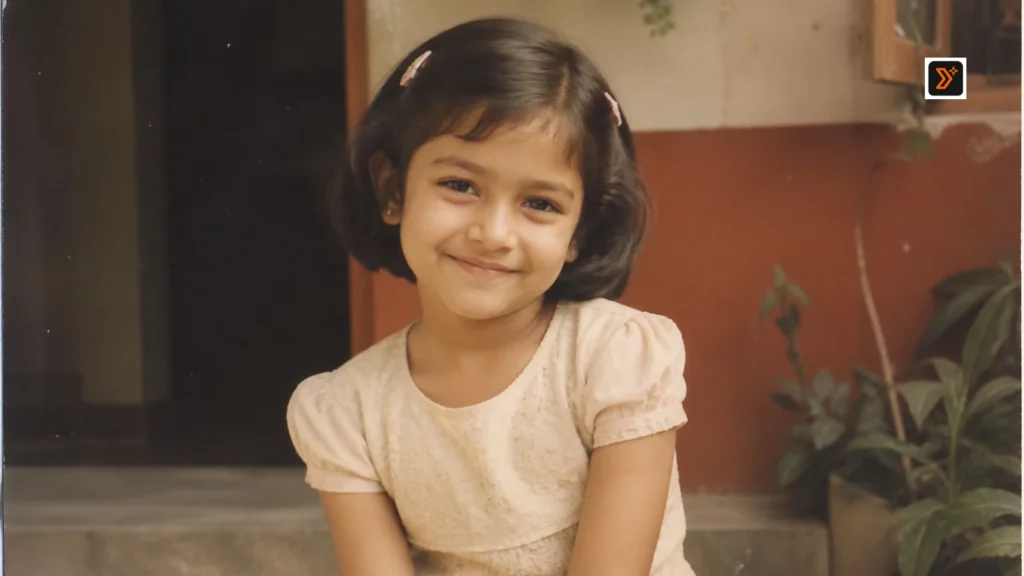
5. 90s Childhood Memory Prompt
Best for: Retro childhood look
Prompt:
Create a realistic 90s-style childhood version of the person in the uploaded photo. Make the person look around 8 years old while preserving facial resemblance, eyes, smile, and natural expression. Use simple 90s-style clothes, a warm home or street background, soft film-camera colors, and a nostalgic Indian childhood memory feel.
6. Early 2000s Childhood Portrait Prompt
Best for: Early digital-camera childhood vibe
Prompt:
Using the uploaded photo as reference, create an early 2000s childhood portrait of this person at around 10 years old. Preserve the face resemblance and natural expression. Use simple casual clothes, a home or outdoor background, soft flash-camera lighting, and a realistic family-photo look. Avoid making the image too polished or modern.
7. Traditional Festival Childhood Prompt
Best for: Festival and cultural childhood image
Prompt:
Create a realistic childhood version of the person in the uploaded photo, around 8 years old, dressed in simple traditional festive clothing. Preserve the facial resemblance and natural smile. Add a warm Indian festival atmosphere with soft lights, simple decor, and a family celebration mood. Keep the image realistic, innocent, and natural.
8. Birthday Childhood Photo Prompt
Best for: Birthday memory-style image
Prompt:
Using the uploaded photo as reference, create a realistic birthday childhood photo of this person at around 7 years old. Preserve the facial resemblance, smile, and natural expression. Add a simple birthday setting with a small cake, soft decorations, casual childhood clothes, and warm indoor lighting. Make it look like a real family birthday photo.
9. Younger Version with Natural Face Resemblance Prompt
Best for: Face consistency
Prompt:
Using the uploaded photo as the main reference, create a younger childhood version of this person around 9 years old. Focus on preserving facial resemblance, eye shape, smile, eyebrows, skin tone, and natural personality. Make the transformation subtle, realistic, and believable. Use a clean background, soft lighting, and simple childhood clothing.
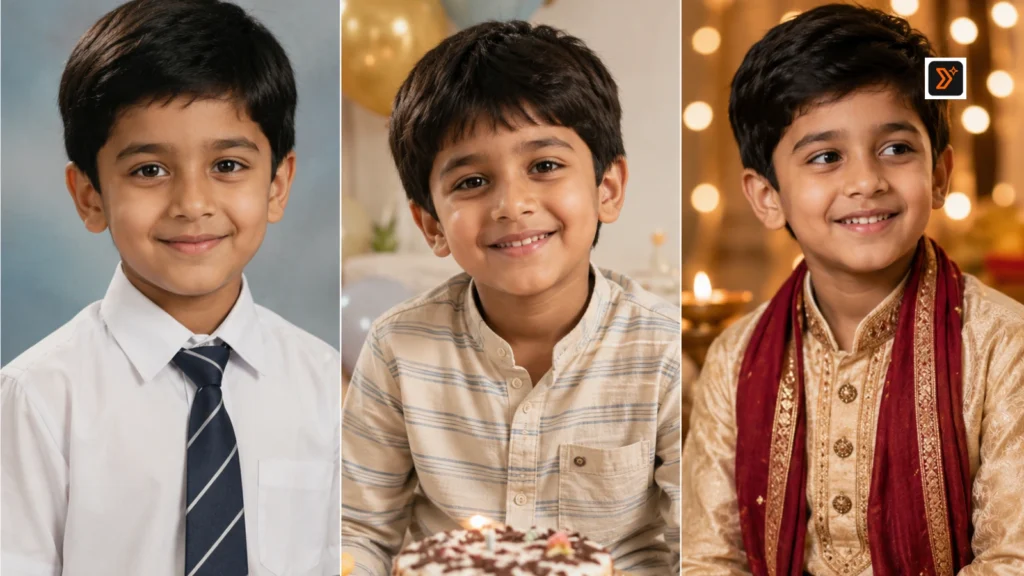
10. Black-and-White Childhood Photo Prompt
Best for: Old memory feel
Prompt:
Create a realistic black-and-white childhood portrait of the person in the uploaded photo, around 8 years old. Preserve facial resemblance and natural expression. Make it look like an old printed family photograph with soft contrast, simple clothing, and a calm expression. Avoid modern styling, fantasy effects, or exaggerated facial changes.
11. Studio Portrait Childhood Prompt
Best for: Clean portrait output
Prompt:
Using the uploaded photo as a reference, create a childhood studio portrait of this person at around 10 years old. Preserve the facial resemblance, eyes, smile, and natural face structure. Use soft studio lighting, a simple background, neat childhood clothing, and a clean portrait style. Make the result realistic and polished but not over-edited.
12. Casual Home Childhood Prompt
Best for: Natural home setting
Prompt:
Create a realistic childhood version of the person in the uploaded photo, around 6 to 8 years old, sitting or standing in a simple home environment. Preserve the facial resemblance and natural expression. Use casual childhood clothes, soft daylight, and a warm family-home background. Make it feel like a real everyday childhood memory.
13. Sibling or Family Childhood Scene Prompt
Best for: Memory-style concept image
Prompt:
Using the uploaded photo as a reference, create a realistic childhood version of this person around 8 years old in a warm family-memory scene. Preserve facial resemblance and natural expression. Show the child in a simple home or outdoor setting with a soft family-album mood. Keep the focus on the child and avoid adding unclear or distorted extra faces.
14. School Day Memory Prompt
Best for: Emotional school nostalgia
Prompt:
Create a realistic childhood school-day version of the person in the uploaded photo, around 9 years old. Preserve the facial resemblance, smile, and natural personality. Show the child with a school bag, simple uniform, and a soft morning school background. Make it feel like a genuine memory from childhood, not a staged photoshoot.
15. Cinematic Nostalgic Childhood Prompt
Best for: Emotional cinematic portrait
Prompt:
Using the uploaded photo as reference, create a cinematic nostalgic childhood version of this person at around 8 years old. Preserve the facial resemblance and natural expression. Use warm golden-hour lighting, soft background blur, simple childhood clothing, and an emotional memory-like atmosphere. Make the image realistic, gentle, and visually beautiful without looking fake.
How to Get Better Childhood Version Results in Gemini
To get better results, avoid vague prompts.
Instead of saying:
“Make me a child.”
Say exactly what you want:
- Target age
- Face resemblance
- Clothing style
- Background
- Photo style
- Expression
- Lighting
- Realism level
For example, “create an 8-year-old version of me in a family album photo style” is much clearer than “make me younger.”
Also mention what should not happen. Add lines like:
- Avoid cartoon style.
- Avoid changing the face too much.
- Avoid unrealistic baby-like features.
- Avoid over-smooth skin.
- Avoid fantasy background.
If your AI images look fake or generic, read this guide on why AI image prompts give bad results.
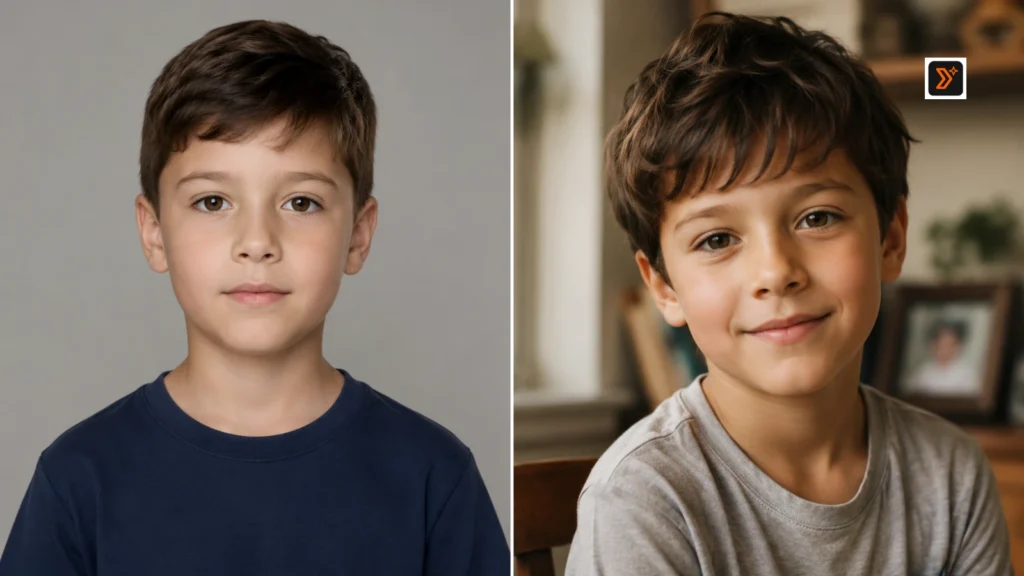
Common Mistakes to Avoid
Avoid these mistakes when creating a childhood version of yourself:
- Using only one-line prompts
- Not uploading a clear face photo
- Not mentioning target age
- Not asking Gemini to preserve facial resemblance
- Using too many unrelated details
- Asking for an unrealistic baby-like version
- Making the image too cinematic when you want realism
- Ignoring background, clothing, and lighting
- Using someone else’s photo without permission
A good childhood prompt should feel specific, natural, and emotionally believable.
Related AI Image Prompt Pages
You may also find these useful:
- AI Image Prompt Generator
- AI Image Prompts
- Art Prompt Generator
- Drawing Prompt Generator
- Prompt Enhancer
- Prompt Libraries
Create Better Prompts with PromptToolsStudio
Want to create your own childhood portrait prompt?
Start with our prompt generators:
https://prompttoolsstudio.com/prompt-generators/
Then explore more ready-to-use prompt ideas in our prompt libraries:
https://prompttoolsstudio.com/prompt-libraries/
For custom prompt ideas and practical AI use cases, follow Mayank Singh Rajput on LinkedIn.
FAQs
Can Gemini create a childhood version of me?
Yes. You can upload your photo and ask Gemini to create a childhood-style version of yourself. The result depends on your photo quality and how specific your prompt is.
What should I mention in a childhood version prompt?
Mention the target age, face resemblance, clothing, background, expression, photo style, lighting, and realism level.
How do I make the result look more realistic?
Use a clear photo, mention the exact age, ask Gemini to preserve facial resemblance, and choose a natural style like family album, school photo, or home memory.
Can I use these prompts for old family album-style images?
Yes. You can use prompts that mention faded colors, warm tones, printed photo style, simple background, and natural childhood expression.
Why does my AI childhood image look fake?
It usually happens when the prompt is too vague. Add more details about age, face resemblance, clothing, background, lighting, and what to avoid.
Should I use someone else’s photo?
Use your own photo or a photo you have permission to use. Do not upload or edit someone else’s face without consent.
Create Better AI Image Prompts
Use our prompt generators to create custom prompts, or explore prompt libraries for ready-to-use ideas.