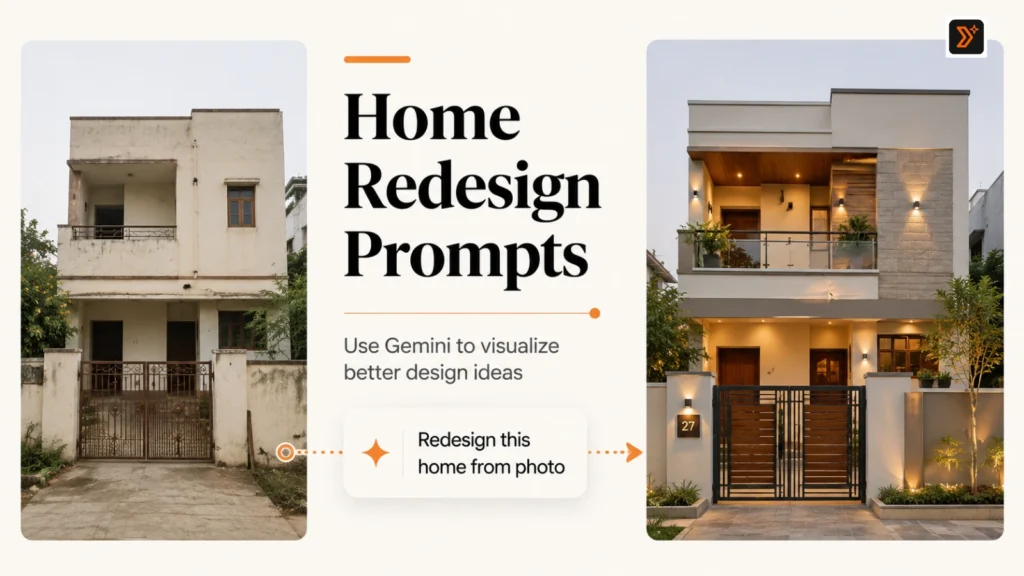
If you have a photo of your home, room, balcony, or house front, you can use Gemini to explore how that space could look after a redesign.
But the result depends heavily on the prompt.
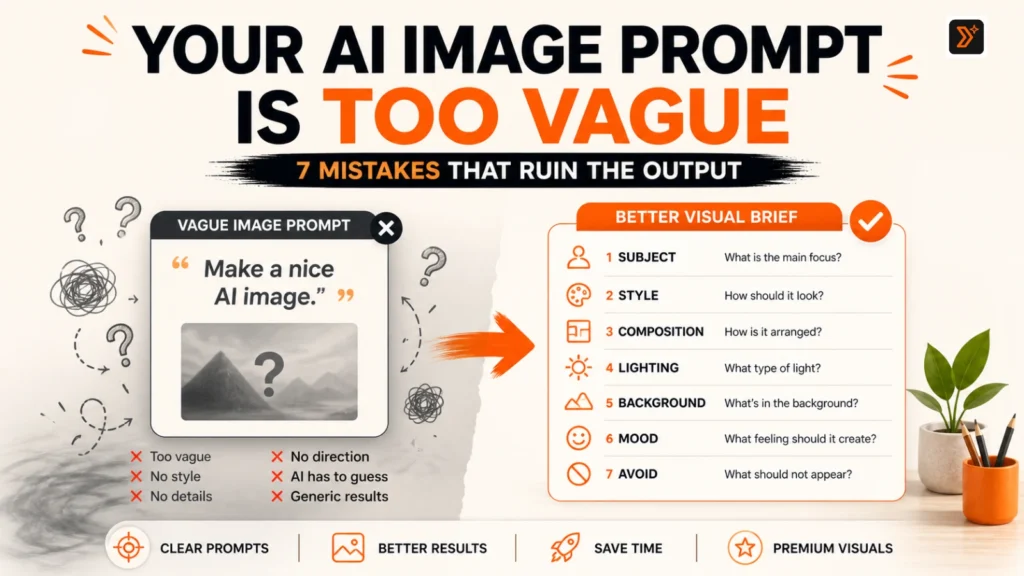
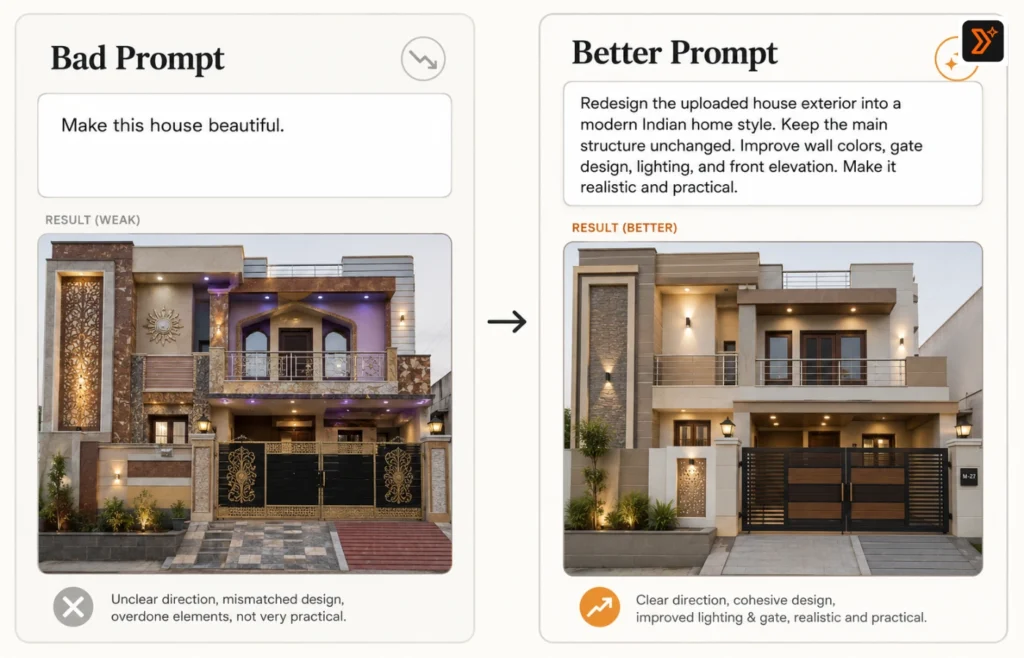
A weak prompt like “make my house beautiful” usually gives generic output. A better prompt tells Gemini what to preserve, what to improve, what style to follow, and what kind of design idea you want.
Below are 9 copy-paste Gemini prompts you can use to redesign your real home from a photo. You can also explore more ready-to-use prompts from our prompt libraries: PTS Prompt Libraries
Or create your own prompts with our prompt generators: PTS Prompt Generator
Before You Use These Gemini Prompts
Before using these prompts, upload a clear photo of your home, room, exterior, balcony, or front elevation.
For better results, use a photo with good lighting, keep the main area clearly visible, and mention whether you want a modern, luxury, minimal, Indian, or budget-friendly design.
Also tell Gemini what should stay unchanged. This is important because AI tools may sometimes add unrealistic floors, windows, balconies, or design elements when the prompt is too vague.
If you want to build a more detailed prompt from scratch, you can use the AI image prompt generator, and if your prompt already exists but feels too basic, improve it with the Prompt Enhancer.
Simple Prompt Formula for Home Redesign
Use this formula when creating your own prompt:
Uploaded photo + what to redesign + style preference + what to preserve + materials or colors + lighting + practical constraints + output style.
Example:
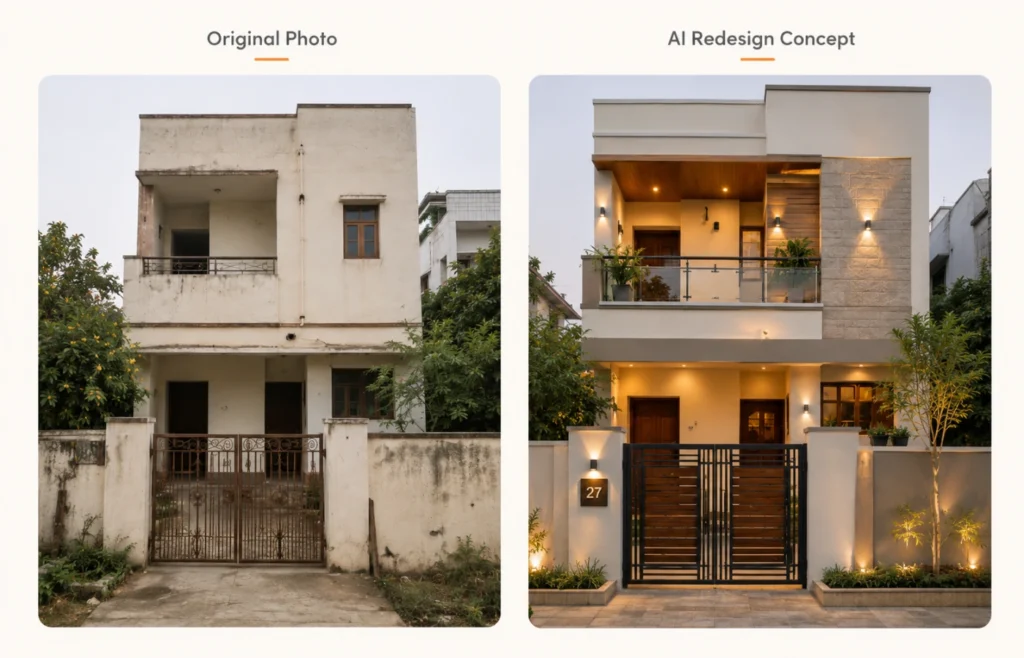
Redesign the uploaded house exterior into a modern Indian home style. Keep the main structure, windows, and entrance position the same. Improve the wall colors, gate design, lighting, balcony, and front elevation. Use warm neutral colors, natural textures, and a clean modern look. Make the design practical for a real Indian family home.
9 Best Gemini Prompts to Redesign Your Real Home from a Photo
1. Modern House Exterior Redesign Prompt
Best for: Front elevation, old house exterior, simple house makeover
Prompt:
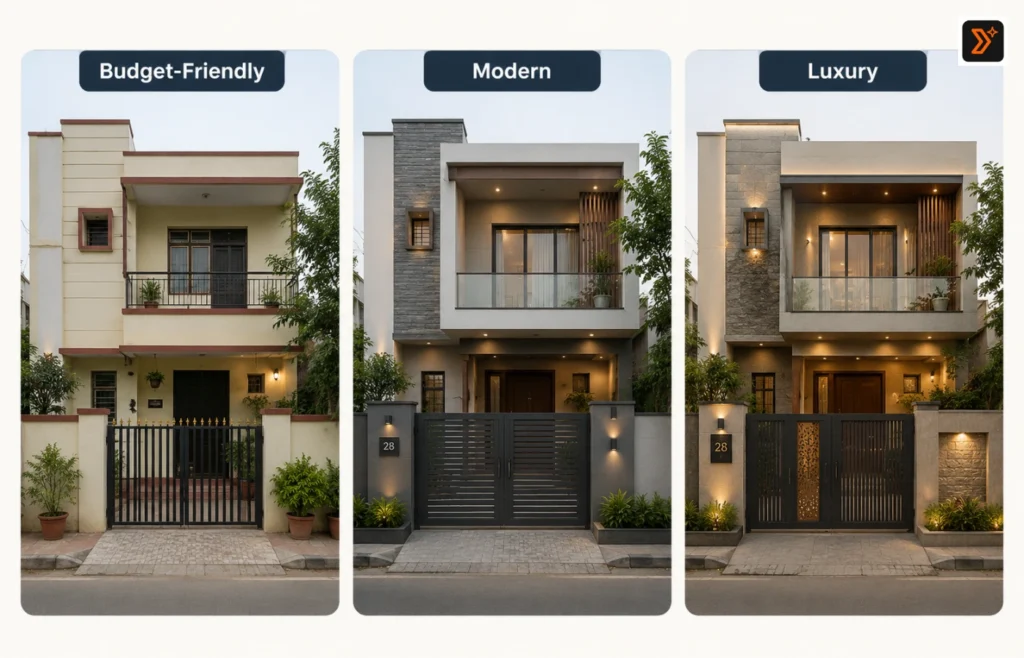
Using the uploaded photo as the reference, redesign this house exterior into a clean modern home design. Keep the main structure, roofline, windows, and entrance position realistic and unchanged. Improve the front elevation with modern wall colors, better lighting, a stylish main gate, subtle texture, and a neat entrance area. Make the final design look practical, elegant, and suitable for a real Indian family home.
2. Budget-Friendly Home Makeover Prompt
Best for: Low-budget redesign ideas
Prompt:
Redesign the uploaded home photo with a budget-friendly makeover approach. Do not change the main structure. Improve the wall color, entrance area, lighting, small decor elements, plants, and front appearance using affordable design choices. Keep the design simple, practical, and easy to execute in real life.
3. Luxury Home Exterior Prompt
Best for: Premium villa-style look
Prompt:
Transform the uploaded house exterior into a luxury modern home design. Keep the original structure and layout realistic, but upgrade the visual style with premium wall textures, warm outdoor lighting, elegant entrance design, modern gate, glass or wooden accents, and clean landscaping. The final look should feel high-end, polished, and architect-designed.
4. Small House Front Elevation Prompt
Best for: Compact homes, narrow plots, small front design
Prompt:
Using the uploaded photo, redesign this small house front elevation to look modern, clean, and spacious. Keep the structure realistic and avoid adding extra floors or unrealistic elements. Improve the facade with smart color combinations, simple textures, better entrance design, vertical elements, lighting, and small plants. Make the design suitable for a compact Indian home.
5. Living Room Redesign Prompt
Best for: Interior room makeover
Prompt:
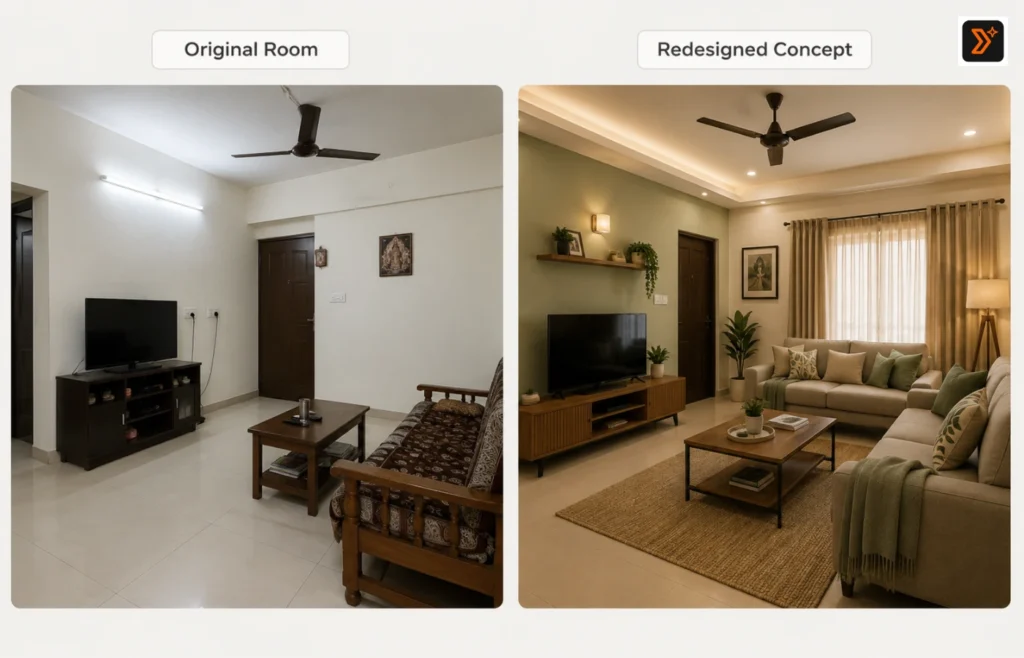
Redesign the uploaded living room photo into a modern, comfortable, and functional living space. Keep the room size and layout realistic. Improve the wall colors, sofa placement, lighting, TV unit, curtains, decor, and storage. Use a warm minimal style with practical furniture choices. Make the room look clean, spacious, and easy to live in.
6. Bedroom Makeover Prompt
Best for: Personal room redesign
Prompt:
Using the uploaded bedroom photo, create a redesigned version with a calm, modern, and cozy look. Keep the room structure and window positions the same. Improve the bed setup, wall color, lighting, wardrobe appearance, curtains, side tables, and decor. Use soft colors, practical storage, and a peaceful design suitable for daily living.
7. Balcony Redesign Prompt
Best for: Small balcony, apartment balcony, sit-out area
Prompt:
Redesign the uploaded balcony photo into a beautiful and practical small outdoor sitting space. Keep the balcony size and railing position realistic. Add comfortable seating, plants, warm lighting, simple flooring ideas, wall decor, and a cozy evening atmosphere. Make the design suitable for an apartment or small Indian home balcony.
8. Indian Home Color Upgrade Prompt
Best for: Wall paint and color combination ideas
Prompt:
Using the uploaded home photo, suggest a better color and material redesign without changing the structure. Improve the wall colors, trim colors, gate color, door color, and accent areas. Use a tasteful modern Indian color palette that looks elegant, not too loud, and practical for real weather conditions. Show the home with better visual balance and curb appeal.
9. Complete Home Redesign Concept Prompt
Best for: Full concept idea from one photo
Prompt:
Analyze the uploaded home photo and create a complete redesign concept. Keep the main structure realistic, but improve the exterior style, entrance, wall colors, lighting, gate, balcony, plants, and overall visual appeal. Give the home a modern, elegant, and practical look. Avoid unrealistic architecture, extra floors, or fantasy elements. Make the final design feel achievable in real life.
How to Get Better Home Redesign Results in Gemini
To get better results, do not ask Gemini for a vague redesign.
Instead of saying:
“Make this house beautiful.”
Say exactly what you want:
Modern exterior redesign
Budget-friendly makeover
Small house front elevation
Indian family home design
Better wall color combination
Luxury villa-style redesign
Balcony makeover
Living room redesign
Also mention what should not change. This is important because AI tools may add unrealistic floors, windows, rooms, or architectural elements if your prompt is not clear.
If your AI images look fake or generic, read this guide: Why Image Give Bad Results
Common Mistakes to Avoid
Avoid these mistakes when using Gemini for home redesign:
- Giving only one-line prompts
- Not uploading a clear photo
- Asking for a luxury design without giving budget or style direction
- Not telling Gemini what to preserve
- Asking for unrealistic changes
- Forgetting to mention Indian weather, space, or family needs
- Using vague words like “best,” “beautiful,” or “premium” without details
Related AI Image Prompt Pages
You may also find these useful:
AI Image Prompts for Interior Design
Create Better Prompts with PromptToolsStudio
Want to create your own home redesign prompt?
Start with our prompt generators:
https://prompttoolsstudio.com/prompt-generators/
Then explore more ready-to-use prompt ideas in our prompt libraries:
https://prompttoolsstudio.com/prompt-libraries/
For custom prompt ideas and practical AI use cases, follow Mayank Singh Rajput on LinkedIn.
FAQs
Can Gemini redesign my home from a photo?
Yes. You can upload a clear home photo and ask Gemini to suggest redesign ideas. The quality of the result depends on how specific your prompt is.
What should I mention in a home redesign prompt?
Mention the area you want to redesign, the style you prefer, what should stay unchanged, color preferences, budget level, lighting, materials, and practical needs.
Can I use these prompts for interior design?
Yes. Some prompts are made for interiors like living rooms, bedrooms, and balconies. You can adjust the prompt according to your room type.
Why does AI change the structure of my house?
AI may change the structure when the prompt is too vague. Add instructions like “keep the main structure unchanged” and “avoid adding extra floors or unrealistic architecture.”
Can I use these prompts in tools other than Gemini?
Yes. These prompts can also be adapted for other AI image tools, but Gemini is useful when you want to work from an uploaded real photo.
Create Better Prompts with PromptToolsStudio
Use our prompt generators to create custom prompts, or explore prompt libraries for ready-to-use ideas.