Most AI prompts do not fail because the AI is useless.
They fail because the prompt is too empty.
If you write:
Write a LinkedIn post about AI.
You will probably get a safe, generic, forgettable answer.
Not because the topic is bad.
Because the AI has no real direction.
It does not know your audience, your point of view, your goal, your tone, your example, your format, or what kind of output you actually want.
That is why many AI answers feel robotic.
The good news is simple: you do not need complicated prompt engineering to fix this. You need better context, clearer instructions, and a few practical prompt habits.
This guide will show you why AI prompts sound generic and how to rewrite them into prompts that produce more useful, natural, and specific results.
Why Do AI Prompts Sound Generic?
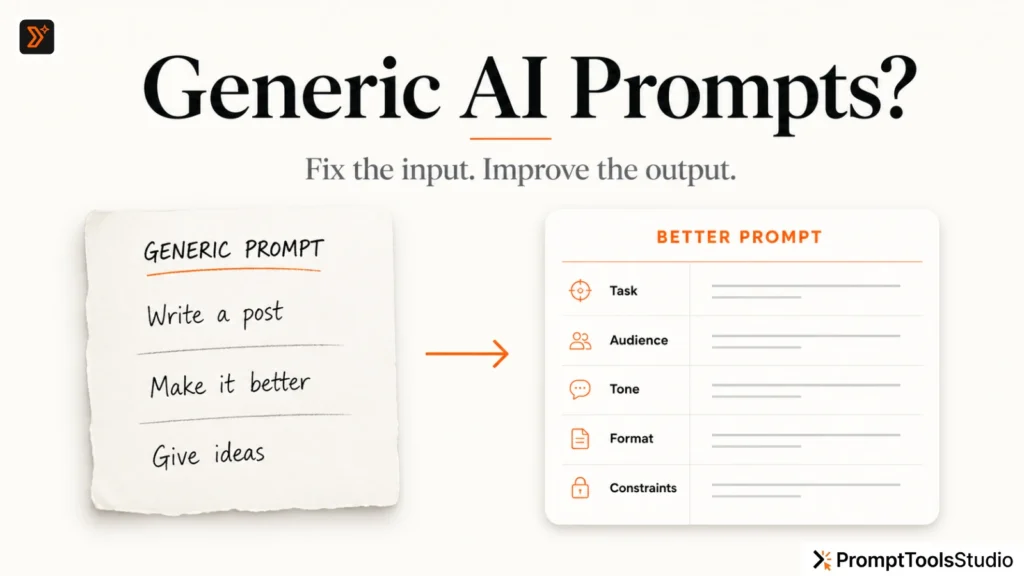
AI prompts sound generic when they do not give the tool enough useful information to work with.
A weak prompt usually has one or more of these problems:
- It gives no audience
- It gives no goal
- It gives no tone
- It gives no examples
- It gives no output format
- It gives no constraints
- It asks for “content” but does not explain the situation
For example:
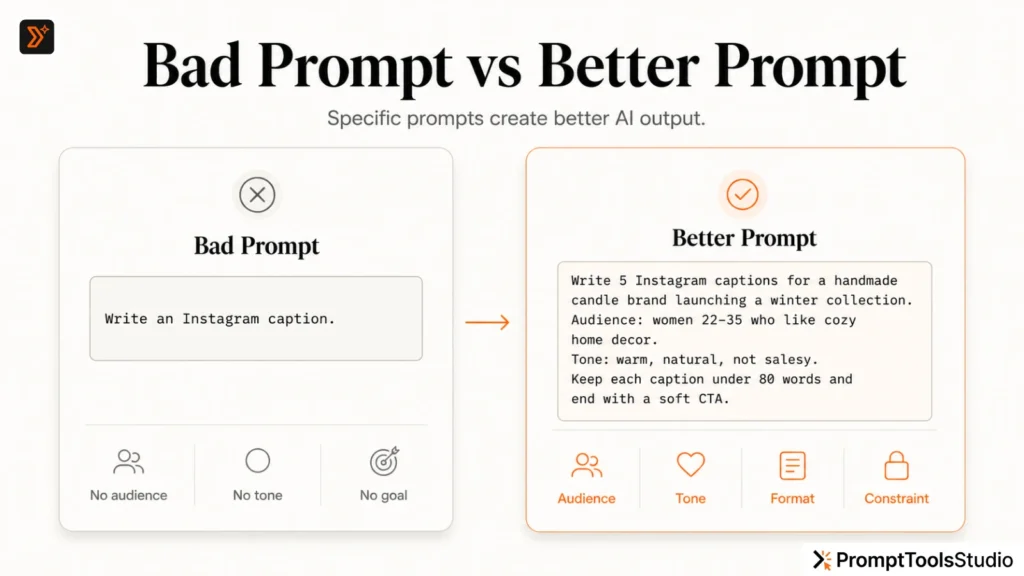
Write a caption for Instagram.
This is too broad.
The AI has to guess everything.
It has to guess the product, audience, mood, purpose, post type, caption length, and call to action.
So it gives you a generic caption because generic is the safest answer.
A better prompt would be:
Write 5 Instagram caption options for a small handmade candle brand launching a winter collection. The audience is women aged 22–35 who like cozy home decor. Keep the tone warm, natural, and not too salesy. Each caption should be under 80 words and end with a soft call to action.
Now the AI has direction.
That is the difference.
The Main Reason: Your Prompt Is Missing Context
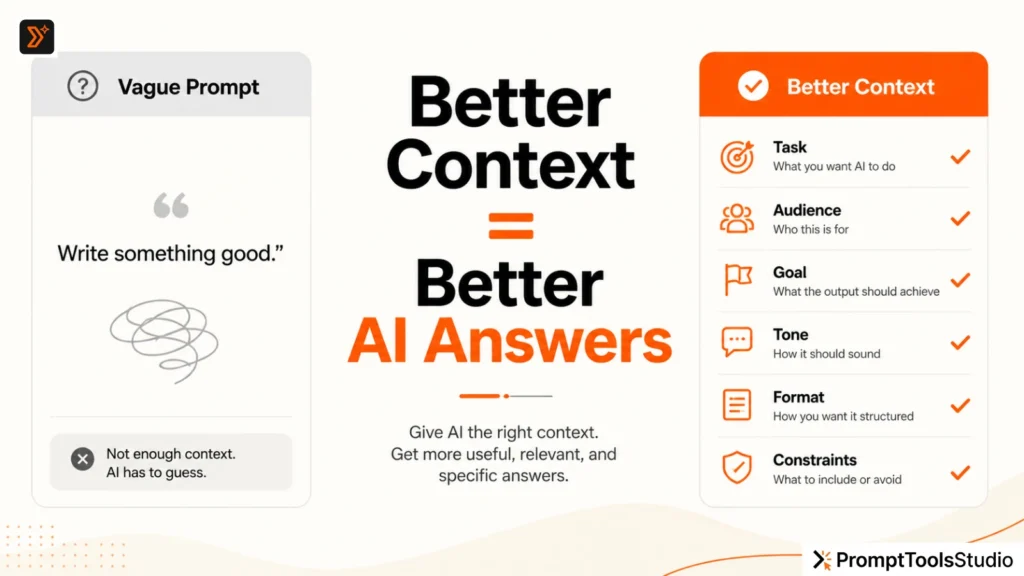
Context is the biggest difference between a weak AI answer and a useful one.
AI tools need background.
They need to know what you are trying to do, who you are speaking to, and what kind of result you want.
Meta’s AI prompting guide also recommends giving the task, background, target audience, and expected output clearly when writing effective prompts. OpenAI’s prompt engineering guidance also points toward using clear instructions and structure to improve AI responses. (Meta AI)
A prompt without context:
Write a blog intro about productivity.
A prompt with context:
Write a blog intro for an article about productivity for freelance writers who feel overwhelmed by too many client deadlines. The intro should be honest, simple, and practical. Avoid motivational clichés. Start with the real problem, then explain that the article will show a simple workflow.
The second prompt will almost always produce a better result because it gives the AI a real situation.
Bad Prompt vs Better Prompt
Here is a simple comparison.
| Weak Prompt | Why It Fails | Better Prompt |
|---|---|---|
| Write a blog post about AI. | Too broad | Write a beginner-friendly blog post about how small business owners can use AI to plan weekly content. |
| Write an Instagram caption. | No audience or goal | Write 5 Instagram captions for a skincare brand promoting a new sunscreen to women aged 25–40. |
| Give me SEO ideas. | No website, niche, or goal | Give me 15 blog topic ideas for a prompt generator website that wants organic traffic from creators and marketers. |
| Make this better. | Too vague | Rewrite this paragraph to make it clearer, more direct, and easier for beginners to understand. |
The better prompt does not need to be complicated.
It just needs to be specific.
7 Reasons Your AI Output Feels Robotic
1. You Asked for a Generic Task
Prompts like “write a post,” “write an email,” or “give ideas” usually produce average output.
The AI can answer, but it does not know what makes the answer useful for your situation.
Instead of asking:
Write a post about marketing.
Ask:
Write a LinkedIn post for a freelance SEO consultant explaining why small businesses should fix their website clarity before spending more on ads. Keep the tone direct, practical, and slightly opinionated.
This gives the AI a position.
And strong content usually needs a position.
2. You Did Not Define the Audience
A prompt for students should not sound like a prompt for CEOs.
A prompt for beginners should not sound like a prompt for experts.
If you do not define the audience, the AI writes for everyone.
And when content is written for everyone, it often connects with no one.
Add audience details like:
The audience is beginner bloggers who have never used AI tools before.
or:
The audience is small business owners who understand marketing basics but do not know prompt writing.
This one line can improve the output quickly.
3. You Did Not Give a Clear Goal
The AI needs to know what the content should achieve.
Should it explain?
Sell?
Educate?
Compare?
Summarize?
Generate ideas?
Improve existing text?
Create a template?
A weak prompt:
Write about AI prompts.
A better prompt:
Write a simple explanation that helps beginners understand why AI prompts need context. The goal is to help them improve their next prompt.
Now the AI knows the purpose.
4. You Did Not Mention the Tone
Tone matters.
A caption can be funny, professional, casual, bold, warm, direct, educational, or emotional.
If you do not mention tone, AI often chooses a safe, polished, neutral tone.
That is why many AI responses sound the same.
Use tone instructions like:
Use a direct, simple, human tone. Avoid hype, buzzwords, and robotic phrases.
or:
Make the tone friendly and practical, like a helpful creator explaining the idea to a beginner.
You can also tell the AI what to avoid:
Avoid phrases like “in today’s fast-paced world,” “unlock your potential,” and “game-changer.”
This is very useful.
5. You Did Not Give an Output Format
If you want a table, ask for a table.
If you want a list, ask for a list.
If you want short captions, give the word limit.
If you want WordPress-ready content, say that clearly.
Weak prompt:
Give me content ideas.
Better prompt:
Give me 20 content ideas in a table with 4 columns: topic, target audience, search intent, and suggested format.
Clear format saves editing time.
6. You Did Not Give Examples
Examples help AI understand what “good” looks like.
If you like a certain writing style, structure, or tone, paste a short sample and say:
Use this writing style as reference. Do not copy the exact words, but match the clarity, sentence length, and direct tone.
This works better than saying “make it engaging.”
Because “engaging” is vague.
An example is specific.
7. You Accepted the First Draft Too Quickly
The first AI answer is often not the best answer.
Treat it like a draft.
Ask follow-up instructions:
Make this more specific.
Remove generic lines and add practical examples.
Rewrite this for beginners.
Give me 5 stronger versions with less hype.
Good prompting is not only about the first prompt.
It is also about refinement.
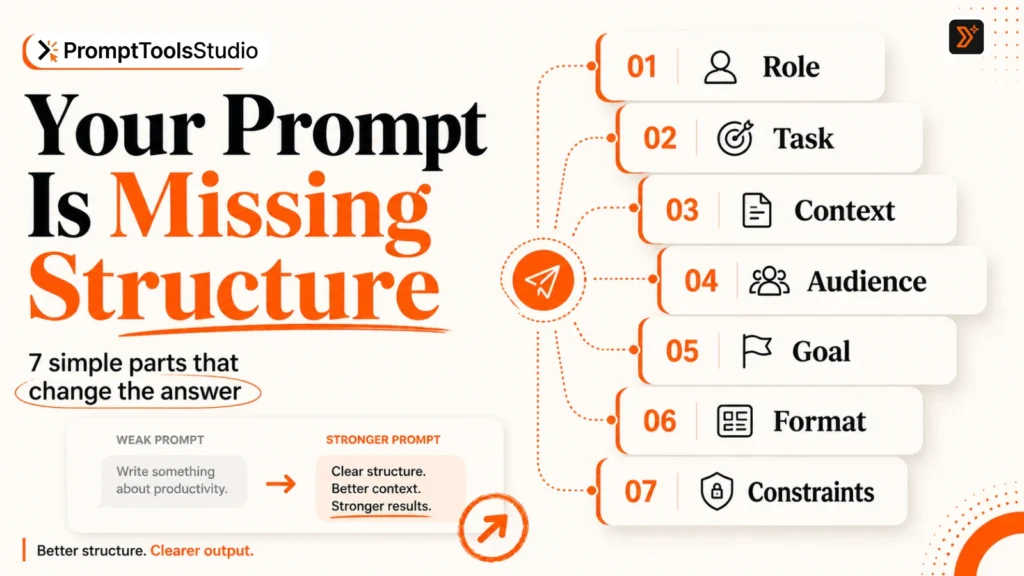
A Simple Formula for Better AI Prompts
Use this formula:
Task + Context + Audience + Tone + Format + Constraints + Example
You do not need every element every time.
But the more important the output is, the more useful this structure becomes.
Here is the formula in action:
Task:
Write a blog intro.

Context:
The article explains why AI prompts sound generic.

Audience:
Beginner creators, bloggers, and marketers who use ChatGPT but do not get good results.

Tone:
Simple, practical, human, and direct.

Format:
Short intro, 3–4 short paragraphs.

Constraints:
Avoid hype, avoid jargon, and do not start with “In today’s digital world.”

Example style:
Write like a helpful editor explaining the issue clearly.
Now convert it into one clean prompt:
Write a short blog intro for an article about why AI prompts sound generic. The audience is beginner creators, bloggers, and marketers who use ChatGPT but do not get useful results. Use a simple, practical, human, and direct tone. Keep it to 3–4 short paragraphs. Avoid hype, jargon, and phrases like “In today’s digital world.” Start with the real problem, then explain that the article will show how to fix it.
This prompt is still easy to understand.
But it gives the AI enough information to produce something better.
Before and After Prompt Examples
Example 1: Blog Idea Prompt
Weak prompt:
Give me blog ideas.
Better prompt:
Give me 20 blog topic ideas for a free AI prompt tools website. The audience is bloggers, creators, students, marketers, and small business owners. Focus on practical problems people search for, such as writing better prompts, generating captions, creating blog ideas, and improving AI image prompts. Put the output in a table with topic, search intent, content format, and internal link opportunity.
This kind of prompt works well when you are planning content.
You can also use the Blog Idea Generator on PromptToolsStudio when you need quick topic directions.
Example 2: Social Caption Prompt
Weak prompt:
Write an Instagram caption.
Better prompt:
Write 5 Instagram caption options for a small bakery sharing a behind-the-scenes reel of fresh croissants being made in the morning. The tone should be warm, cozy, and natural. Avoid cheesy sales language. Keep each caption under 70 words and include one soft CTA.
This is more specific.
It gives the AI a scene, mood, platform, business type, and limit.
For quick caption ideas, you can also use the Social Media Caption Generator or Instagram Caption Generator.
Example 3: SEO Prompt
Weak prompt:
Write SEO content.
Better prompt:
Create an SEO content brief for the keyword “AI caption prompts.” The target reader is a creator or small business owner who wants better social media captions using AI. Include search intent, suggested H1, H2 structure, FAQs, internal link ideas, content risks to avoid, and examples that should be included.
This gives the AI a real job.
It is not just “write SEO content.”
It is creating a specific output.
For SEO-specific prompt ideas, you can use the SEO Prompt Generator or browse the SEO Prompts library.
How to Fix a Generic AI Answer
If the AI already gave you a weak answer, do not start over immediately.
Use a repair prompt.
Here are useful follow-up prompts:
This sounds too generic. Rewrite it with more specific examples and less polished AI language.
Make this more practical. Add steps, examples, and common mistakes.
Rewrite this in a more human tone. Use shorter sentences and avoid marketing buzzwords.
Ask me 5 questions that would help you improve this output before rewriting it.
Give me 3 different versions: simple, professional, and bold.
This is a good habit when your task is important.
Instead of accepting the first average answer, guide the AI toward the answer you actually need.
When Should You Use a Prompt Generator?
Use a prompt generator when you know the task but do not know how to structure the prompt.
For example, if you want:
- Blog ideas
- Instagram captions
- Facebook captions
- LinkedIn posts
- YouTube titles
- SEO prompts
- Writing prompts
- AI image prompts
A prompt generator can help you create a more complete prompt faster.
On PromptToolsStudio, the Prompt Generators hub is useful when you want custom prompt creation for a specific task.
Use the Prompt Libraries hub when you want ready-made examples and inspiration.
In simple terms:
| Need | Best Option |
|---|---|
| You want a custom prompt | Prompt Generator |
| You want ready-made examples | Prompt Library |
| You want to improve a weak prompt | Prompt Enhancer |
| You want random inspiration | Random Prompt Generator |
| You want ChatGPT-specific help | ChatGPT Prompt Generator |
A Better Prompt Checklist
Before you submit your next AI prompt, check these questions:
- Did I explain the task clearly?
- Did I mention the audience?
- Did I explain the goal?
- Did I give the tone?
- Did I ask for a format?
- Did I add useful constraints?
- Did I give an example?
- Did I say what to avoid?
- Did I ask for multiple options if needed?
- Did I review and refine the first answer?
You do not need a perfect prompt.
You need a clear prompt.
That is enough for most tasks.
Final Thought
Generic AI output usually comes from generic input.
If your prompt is too broad, the AI has to guess.
If you give it context, audience, goal, tone, format, and examples, the result becomes more useful.
Start small.
Do not try to write a perfect “master prompt.”
Just make your next prompt clearer than your last one.
That is how you get better AI answers.
FAQs
Why does ChatGPT give generic answers?
ChatGPT usually gives generic answers when the prompt is too broad or missing important context. If you do not explain the audience, goal, tone, format, or situation, the AI has to guess.
How do I make AI responses sound more human?
Give the AI a clear tone, audience, and example. You can also ask it to avoid robotic phrases, use shorter sentences, and rewrite the answer in a more natural style.
What makes a good AI prompt?
A good AI prompt explains the task, context, audience, tone, output format, and constraints. It should tell the AI what you want and what you want to avoid.
Should I write long prompts?
Not always. A prompt should be as long as needed to explain the task clearly. Simple tasks need short prompts. Important or detailed tasks need more context.
Can a prompt generator help me write better prompts?
Yes. A prompt generator can help structure your request when you know what you want but do not know how to ask for it clearly.