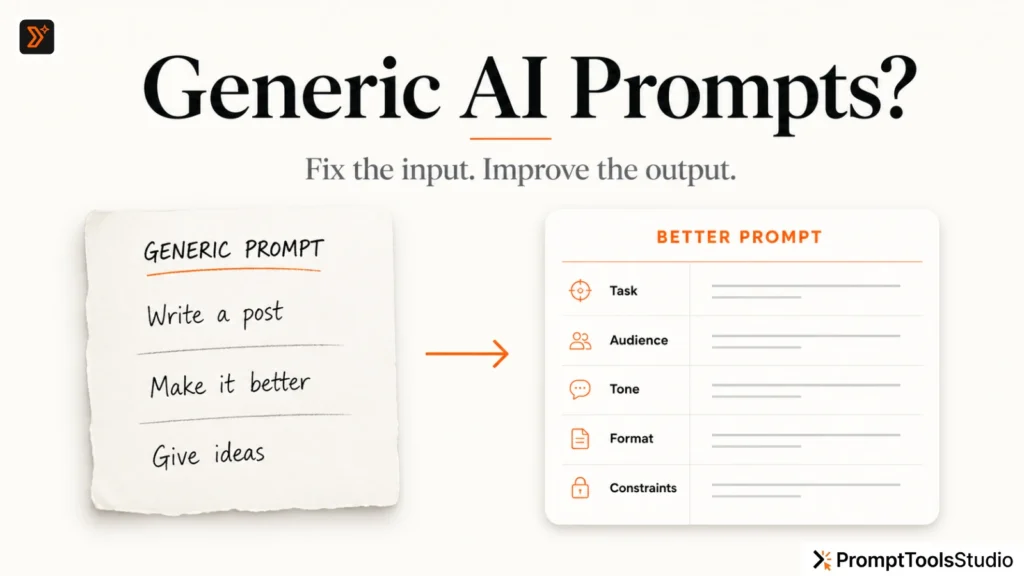
AI does not always give generic answers because the tool is bad.
Many times, the real problem is simple:
The AI does not have enough context.
You may ask:
“Write a LinkedIn post.”
And the AI gives you something basic.
Not because it cannot write better.
But because it does not know who you are writing for, what your goal is, what tone you want, what the post should avoid, or what kind of result you expect.
A better prompt is not always a longer prompt.
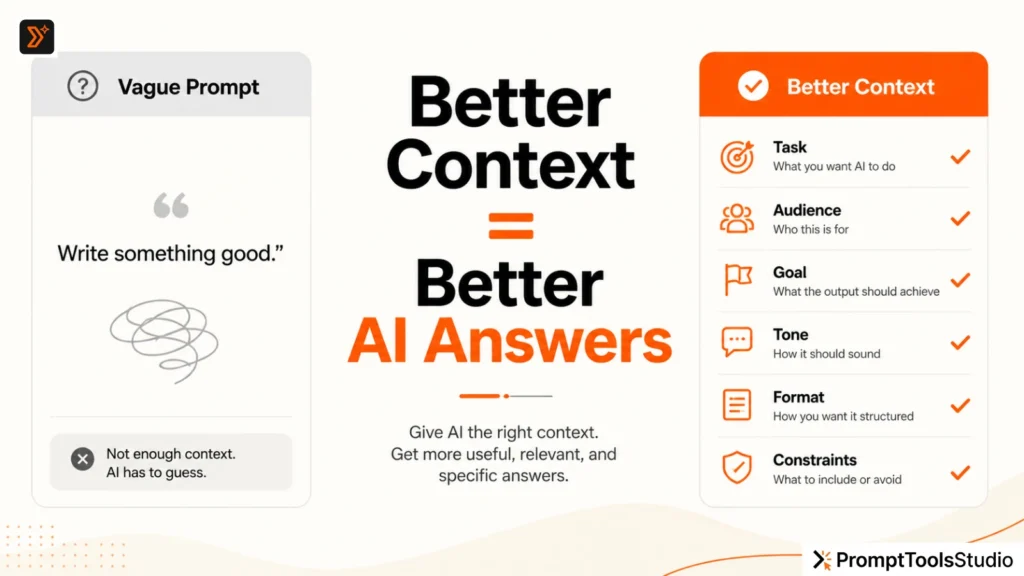
A better prompt gives the AI the right context.
In this guide, you will learn what context means in AI prompting, what details you should add, and a simple formula you can use before asking AI to write anything.
What Does “Context” Mean in an AI Prompt?
Context means the useful background information you give to AI before asking for an answer.
It helps the AI understand:
- what you want
- who the content is for
- why you need it
- where it will be used
- what tone it should follow
- what details should be included
- what should be avoided
Without context, AI has to guess.
And when AI guesses, the answer usually becomes generic.
For example, this is a weak prompt:
Write a caption for my business.
This gives almost no direction.
Now compare it with this:
Write a short Instagram caption for a handmade skincare brand.

Audience: women aged 25–40 who prefer natural ingredients.
Goal: build trust and encourage people to check the product page.
Tone: calm, premium, simple, and non-salesy.
Avoid: exaggerated claims, medical promises, and too many emojis.
Length: under 80 words.
The second prompt is not complicated.
It is just clearer.
That clarity gives AI a better starting point.
Why AI Gives Generic Answers Without Context
AI tools are trained to respond to your input.
If your input is vague, the answer will usually be safe, broad, and average.
For example:
Give me blog ideas.
This can produce ideas like:
- 10 tips for better productivity
- How to improve your writing
- Best tools for content creation
These are not always wrong.
But they are too broad.
Now add context:
Give me 10 blog ideas for a free AI prompt tools website.

Audience: creators, marketers, students, bloggers, and small business owners.
Goal: attract search traffic and internally link to prompt generator pages.
Tone: practical and beginner-friendly.
Avoid: generic AI news topics.
Focus: problems people face while writing better prompts.
Now the output has a better chance of being useful.
The AI knows the website type, audience, goal, tone, and topic boundary.
That is the difference.
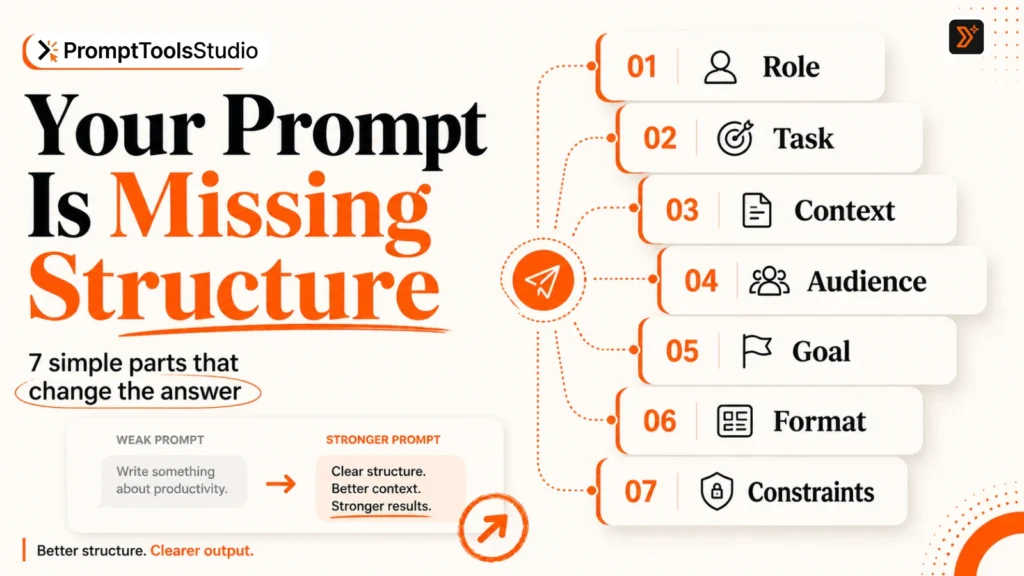
The Simple Context Formula for Better AI Prompts
You do not need a complicated prompt engineering system.
Use this simple formula:
Task + Context + Audience + Goal + Tone + Format + Constraints
Let’s break it down.
1. Task: Tell AI Exactly What You Want
The task is the main action you want AI to perform.
Examples:
- Write a blog intro
- Create Instagram captions
- Improve this prompt
- Generate YouTube title ideas
- Rewrite this paragraph
- Create AI image prompts
- Summarize this article
- Build a content outline
Weak task:
Help me with content.
Better task:
Create 10 LinkedIn post ideas for a freelance SEO consultant.
The task should be clear enough that the AI knows what kind of output to create.
If your task is still rough, you can use the Prompt Enhancer to turn a basic idea into a clearer prompt.
2. Context: Give the Important Background
Context tells AI what situation it is working inside.
For example:
I run a free AI prompt tools website.
Or:
This blog is for beginners who use ChatGPT but get generic answers.
Or:
This caption is for a premium interior design studio targeting homeowners in Dubai.
Good context helps AI avoid random answers.
You do not need to add every detail.
Only add details that affect the output.
Useful context can include:
- business type
- product or service
- topic
- industry
- audience problem
- content platform
- current situation
- previous output issue
- brand style
- location, if relevant
Bad context is overloaded.
For example:
Write a post. My business started in 2018, then I changed my logo in 2020, then we hired two people, then we made a website, then we posted on Instagram, then...
This may be too much unless those details matter.
Better context is focused:
Write a LinkedIn post for a small SEO service brand that helps premium service businesses improve website visibility.
3. Audience: Tell AI Who the Answer Is For
Audience changes everything.
The same topic can be written differently for:
- beginners
- students
- founders
- SEO professionals
- content creators
- small business owners
- designers
- agencies
- teachers
- YouTubers
Example weak prompt:
Explain SEO.
Better prompt:
Explain SEO to a small business owner who has a website but does not understand why it is not ranking on Google.
This one detail makes the answer more useful.
AI now knows the reader’s level and problem.
If you are creating writing ideas, you can also use the Writing Prompt Generator to create prompts based on a clearer audience or writing direction.
4. Goal: Tell AI What the Output Should Achieve
Many users skip this step.
But goal is one of the most important parts of a prompt.
Ask yourself:
What should this output do?
Should it:
- educate?
- sell?
- explain?
- simplify?
- compare?
- persuade?
- inspire?
- generate ideas?
- improve clarity?
- increase clicks?
- help someone decide?
Example weak prompt:
Write a YouTube title.
Better prompt:
Write 10 YouTube title ideas for a video about why AI prompts sound generic.

Goal: make beginners curious and encourage clicks without using clickbait.
Now AI knows the purpose.
If you need title ideas, use the YouTube Title Generator to create title options with a clearer goal and topic.
5. Tone: Tell AI How It Should Sound
Tone controls the style of the answer.
Without tone, AI often writes in a neutral, polished, and slightly robotic way.
You can ask for tone like:
- simple
- friendly
- direct
- professional
- warm
- bold
- premium
- casual
- beginner-friendly
- non-salesy
- educational
- sharp but not rude
Weak tone instruction:
Make it good.
Better tone instruction:
Use a simple, direct, and helpful tone. Avoid hype and robotic wording.
You can also give a sample.
Example:
Tone example: “The problem is not that AI cannot help. The problem is that your prompt gives it nothing specific to work with.”
Samples are useful because AI can match style better when it sees what you mean.
6. Format: Tell AI How to Structure the Answer
Format makes the output easier to use.
If you do not specify format, AI may choose a structure that does not fit your need.
You can ask for:
- bullet points
- numbered steps
- table
- short paragraphs
- headline options
- caption variations
- prompt templates
- email format
- blog outline
- FAQ format
- checklist format
Example weak prompt:
Give me ideas for Instagram captions.
Better prompt:
Give me 15 Instagram captions in a table with 3 columns:

1. Caption
2. Tone
3. Best use case
Now the output is easier to scan and publish.
For social content, you can use the Social Media Caption Generator or browse social media captions for ready-to-use examples.
7. Constraints: Tell AI What to Avoid
Constraints help AI stay inside useful boundaries.
Examples:
Avoid technical jargon.
Do not use emojis.
Keep every caption under 100 characters.
Do not make medical claims.
Avoid fake statistics.
Do not sound too salesy.
Constraints are useful because AI may otherwise add things you do not want.
For example:
Write a product description for a skincare product.

Avoid medical claims, exaggerated results, and words like “miracle” or “guaranteed.”
This is much safer and more practical than asking AI to “make it powerful.”
Before and After: Bad Prompt vs Better Context
Here is a simple comparison.
| Weak Prompt | Better Context Prompt |
|---|---|
| Write a blog intro. | Write a blog intro for beginners who use AI tools but get generic answers. Topic: how to give AI better context. Tone: simple, direct, helpful. Goal: make the reader understand that context matters more than long prompts. |
| Give me captions. | Give me 10 Instagram captions for a handmade candle brand. Audience: people buying gifts. Tone: warm and cozy. Avoid hard selling. Keep each caption under 120 characters. |
| Create image prompts. | Create 5 AI image prompts for blog feature images about productivity. Style: premium minimal editorial, warm off-white background, orange accent, no human faces, no clutter. |
| Write YouTube titles. | Write 15 YouTube titles for a beginner video about fixing generic ChatGPT answers. Goal: high curiosity without clickbait. Tone: practical and clear. |
The better prompts are not just longer.
They are more specific.
That is the key.
A Copy-Paste Prompt Formula You Can Use
Use this when you want better AI answers:
I want you to [task].

Context:
[Explain the situation, topic, business, or problem.]

Audience:
[Who is this for? What do they already know?]

Goal:
[What should the output achieve?]

Tone:
[How should it sound?]

Format:
[How should the answer be structured?]

Constraints:
[What should be included or avoided?]

Before answering, ask me if any important context is missing.
This final line is useful:
Before answering, ask me if any important context is missing.
It stops AI from guessing too quickly.
It also helps you discover details you forgot to add.
Example: Turning a Rough Prompt into a Better Prompt
Rough prompt:
Write a blog post about AI prompts.
Better prompt:
Write a beginner-friendly blog post about why AI prompts sound generic.

Context:
The article is for PromptToolsStudio.com, a free AI prompt tools and prompt library website.

Audience:
Beginners, bloggers, marketers, students, and creators who use AI tools but are unhappy with generic answers.

Goal:
Help readers understand why their prompts produce weak results and show them how to improve the prompt with better context.

Tone:
Simple, practical, human, and direct. Avoid hype.

Format:
Use short paragraphs, H2 headings, examples, and a FAQ section.

Constraints:
Do not use fake statistics. Do not overcomplicate the topic. Add examples of weak prompts and improved prompts.
This prompt gives AI a much stronger direction.
If you already have a rough prompt like this, the Prompt Enhancer can help you improve it before using it in ChatGPT or another AI tool.
How Much Context Is Too Much?
More context is not always better.
The goal is not to dump everything.
The goal is to give relevant context.
Good context answers the important questions.
Bad context creates noise.
Before adding context, ask:
- Does this detail change the output?
- Does the AI need this to understand the task?
- Will this help the answer become more specific?
- Is this detail connected to the audience, goal, tone, or format?
If the answer is no, remove it.
For example, if you are asking for Instagram captions, the AI may need your product type, audience, tone, and platform.
It probably does not need your full company history.
Use Examples When You Want a Specific Style
Examples are one of the easiest ways to guide AI.
Instead of only saying:
Make it sound premium.
Show what premium means to you:
Style example:
“Simple tools for better prompts, clearer content, and faster creative direction.”
Now AI has something to follow.
You can also show what to avoid:
Avoid this style:
“Unlock the ultimate power of AI and revolutionize your content forever.”
This helps AI understand your taste.
It also reduces generic output.
When Should You Use a Prompt Tool?
You should use a prompt tool when:
- your prompt idea is rough
- you do not know what details to add
- you want faster prompt variations
- you want writing, caption, image, or SEO prompt ideas
- your AI output keeps sounding generic
- you want ready-to-use prompt examples
For custom prompts, start with the ChatGPT Prompt Generator.
For ready examples, browse the ChatGPT Prompts library.
For visual content, use the AI Image Prompt Generator or explore AI image prompts.
For blog planning, try the Blog Idea Generator.
The tool does not replace your thinking.
It helps you structure your thinking faster.
Final Checklist: What to Add Before Asking AI
Before you submit your next prompt, check this:
- Did I clearly define the task?
- Did I give useful context?
- Did I mention the audience?
- Did I explain the goal?
- Did I choose the tone?
- Did I ask for a specific format?
- Did I add constraints?
- Did I give an example if style matters?
- Did I tell AI what to avoid?
- Did I ask AI to ask questions if context is missing?
If you add these details, your AI answers will usually become more specific, useful, and easier to edit.
Read More:- Why Your AI Prompts Sound Generic and How to Fix Them
Final Thought
AI is not magic.
It works better when you give it a better starting point.
A vague prompt forces AI to guess.
A clear prompt gives AI direction.
So before blaming the AI tool, check the context you gave it.
You may not need a longer prompt.
You may just need a clearer one.
FAQs
What is context in an AI prompt?
Context is the background information you give AI so it can understand your task better. It can include your audience, goal, tone, platform, topic, brand, format, and important constraints.
Why does AI give generic answers?
AI often gives generic answers when the prompt is too vague. If you do not explain the audience, goal, tone, or situation, AI has to guess. That usually leads to broad and average output.
Is a longer prompt always better?
No. A longer prompt is not always better. A useful prompt gives relevant context. Too much unnecessary information can confuse the output.
What should I include in a good AI prompt?
A good AI prompt should include the task, context, audience, goal, tone, format, and constraints. You can also include examples if you want a specific style.
How do I make ChatGPT answers more specific?
Give ChatGPT more useful context. Tell it who the answer is for, what the goal is, what tone to use, what format you want, and what to avoid.
Can I use a prompt tool to improve my prompt?
Yes. A prompt tool can help you turn a rough idea into a clearer prompt. You can use the Prompt Enhancer or ChatGPT Prompt Generator on PromptToolsStudio to structure your prompt faster.